
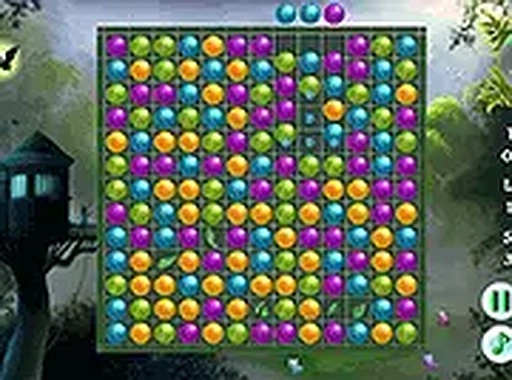
Woodland Monarch Gem Link
Opens in a play window — no download required.
Reviews
Woodland Monarch Gem Link offers a straightforward yet satisfying puzzle experience. The lack of a timer removes stress, allowing players to focus on planning efficient matches. The gradual difficulty increase keeps the game engaging without becoming frustrating. Its clean visuals and smooth performance across devices make it a reliable choice for a short break or a longer session. The special pieces from larger matches add a welcome layer of strategy without complicating the core mechanic.
Description
Core Puzzle Mechanics
Players click or tap adjacent gems to swap their positions, aiming to align three or more identical shapes in a row or column. Successful matches remove those pieces from the board, causing new gems to fall from above. The primary goal is to clear all specially marked items positioned at the top of the play area. This straightforward rule set makes the game accessible within seconds, yet the need to plan multiple moves ahead adds depth for those seeking a mental challenge.
Visual Style and Atmosphere
The game presents a calm woodland theme with soft greens, browns, and gentle lighting effects. Gems are designed with clear, distinct colors and simple shapes, making them easy to distinguish even on smaller screens. Animations are smooth but not distracting, with each successful match producing a subtle ripple effect. The overall aesthetic aims to create a relaxing environment rather than a high-energy arcade feel, which suits players looking for a low-stress activity.
Progression and Difficulty Curve
Early boards introduce basic matching patterns and few obstacles, allowing new players to grasp the mechanics comfortably. As players advance, boards incorporate more complex arrangements and additional layers of items to clear. The difficulty increases gradually, requiring more strategic thinking about move order and gem placement. There is no time limit on any board, so players can take as long as they need to consider each move. This design encourages thoughtful play rather than speed-based competition.
Platform and Accessibility
The game runs entirely within a web browser and requires no installation or account creation. It is optimized for both desktop computers with mouse input and mobile devices with touch controls. A full-screen option is available for a more immersive view. The simple interface and lack of complex menus mean players of all ages can start playing immediately. Because the game uses standard web technologies, it works across modern browsers without additional plugins.
Strategic Approaches for Better Results
Creating matches of four or five gems in a single move generates special pieces that clear larger sections of the board. Players can chain these special items together for even greater effect. Observing the entire board before making a move often reveals opportunities for cascading matches. Since there is no timer, taking time to scan for potential chain reactions is a reliable way to improve performance. Regular play helps develop pattern recognition skills that make solving more complex boards feel natural.




Comments
Sign in to leave a note
You must be logged in before posting a review or rating.
No account? Create one
No comments yet. Be the first to comment!