
Squeeze & Shade Art Studio
Opens in a play window — no download required.
Reviews
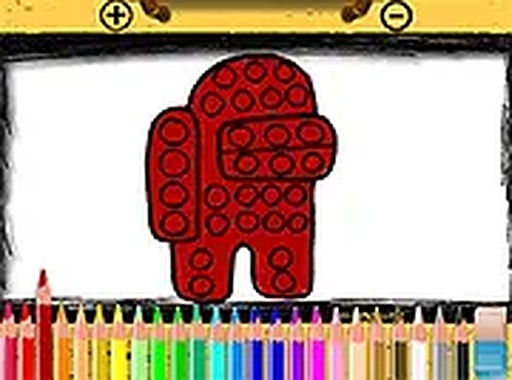
Squeeze & Shade Art Studio turns the popular pop-it toy into a digital coloring experience. The simple tap-to-fill controls are perfect for young children, and the variety of page designs keeps them engaged. I appreciate that it works on any device without downloads or ads. The undo feature reduces frustration, and full-screen mode helps maintain focus. It is a well-executed, family-friendly tool for creative play.
Description
Coloring Pages & Themes
The game offers a selection of pop-it toy outlines ready for coloring. Each page features a different arrangement of bubbles, from simple circles to more complex patterns. Children can choose from various themed pages, including animals, shapes, and abstract designs. The variety keeps the activity fresh and encourages repeated play. Parents appreciate that all content is family-friendly and free from advertisements or distractions.
Color Palette & Tools
A wide color palette is available at the bottom of the screen. Players tap or click any color to select it, then touch the bubble they want to fill. The game responds instantly, showing the chosen hue inside the outline. There is no time limit, so children can experiment freely. They can also undo a color or clear the entire page and start over. This flexibility supports learning through trial and error.
Platform & Accessibility
Squeeze & Shade Art Studio runs directly in a web browser. There is no need to install software or create an account. The interface adapts to screen size, making it usable on smartphones, tablets, and desktop computers. For a more focused experience, players can switch to full-screen mode. This feature helps children concentrate on their artwork without other on-screen elements.
Creative Benefits
Coloring within the lines of pop-it bubbles helps develop fine motor skills and hand-eye coordination. Choosing color combinations encourages decision-making and personal expression. The repetitive, gentle action of filling each bubble can be calming, similar to the sensory feedback of a physical pop-it toy. Many children find the process relaxing and use it as a quiet activity during breaks or travel.
Tips for a Better Experience
To get the most from the game, try using a stylus on a tablet for more precise coloring. Experiment with contrasting colors to make the bubbles pop visually. If a page feels too complex, start with a simpler design. The game saves no progress, so consider taking a screenshot of finished artwork to share with family. Most importantly, let the child guide their own creative choices without pressure.


Comments
Sign in to leave a note
You must be logged in before posting a review or rating.
No account? Create one
No comments yet. Be the first to comment!