
Cosmic Coin Rush Arcade
Opens in a play window — no download required.
Reviews
Cosmic Coin Rush Arcade strips away unnecessary complexity to focus on what matters: responsive controls, escalating difficulty, and the thrill of beating your own record. The retro visuals are charming without feeling dated, and the cross-platform support means you can play anywhere. While it lacks multiplayer or deep progression systems, its purity is a strength for casual players seeking a quick mental break. The gradual speed increase keeps tension high without becoming frustrating. A solid choice for anyone who enjoys classic arcade simplicity.
Description
Endless Flight Mechanics
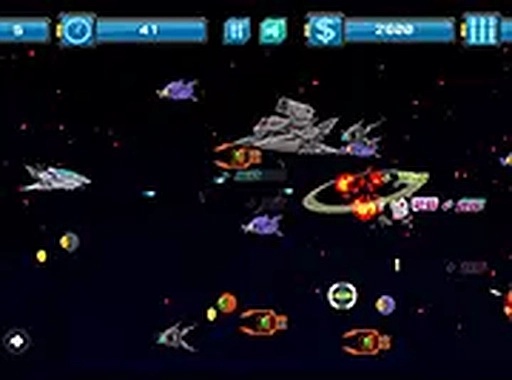
Cosmic Coin Rush Arcade places you at the helm of a small ship drifting through an unending cosmic corridor. Your primary task is to steer left or right using keyboard arrows or touch gestures, avoiding obstacles that appear without warning. The game never pauses, so every second demands attention. Coins drift across the screen at varying heights, rewarding players who weave through tight gaps to grab them. The challenge escalates gradually as the pace picks up, forcing quicker reactions and sharper timing. This straightforward setup makes it easy to pick up but difficult to master, a hallmark of the classic arcade genre.
Scoring and Progression
Every coin collected adds directly to your total score, creating a simple yet compelling loop. There are no power-ups or multipliers to complicate the chase—just raw reflexes and steady focus. The score resets with each run, encouraging players to beat their own best. Because the environment is procedurally generated, no two attempts feel identical. This unpredictability keeps the experience fresh, even after many plays. The lack of a finish line means the only true goal is to surpass your previous record, a design choice that has defined endless runners for decades.
Visual and Audio Style
The graphics adopt a clean retro aesthetic, with bright neon tones against a dark space backdrop. Stars streak past to create a sense of speed, while coins shimmer with a metallic glow. The interface remains minimal, showing only your current score and a high-score marker. Sound effects are crisp and unobtrusive, providing gentle feedback for coin pickups and collisions. This restrained approach ensures the gameplay stays front and center, without distracting visual clutter or loud audio. The full-screen option lets you immerse yourself fully, especially on larger monitors.
Cross-Platform Accessibility
Built with HTML5 technology, Cosmic Coin Rush Arcade runs smoothly in any modern web browser. There is no software to install, no app store to visit. The controls adapt automatically to your device: desktop users can rely on arrow keys or mouse clicks, while mobile players simply tap and drag. This flexibility makes it a convenient choice for short breaks at work, waiting in line, or relaxing at home. The game loads quickly and requires no account creation, respecting your time and privacy from the first click.
Tips for Improving Your Run
Success in this game hinges on pattern recognition and calm decision-making. Watch how obstacles tend to cluster in groups, and plan your movements several seconds ahead. When coins appear near hazards, assess whether the risk is worth the points. Sometimes skipping a token is smarter than crashing. Regular practice builds muscle memory, allowing you to react faster without conscious thought. Keeping your eyes focused on the center of the screen helps you spot threats earlier. Over time, you will develop a rhythm that turns chaotic moments into controlled sequences.





Comments
Sign in to leave a note
You must be logged in before posting a review or rating.
No account? Create one
No comments yet. Be the first to comment!