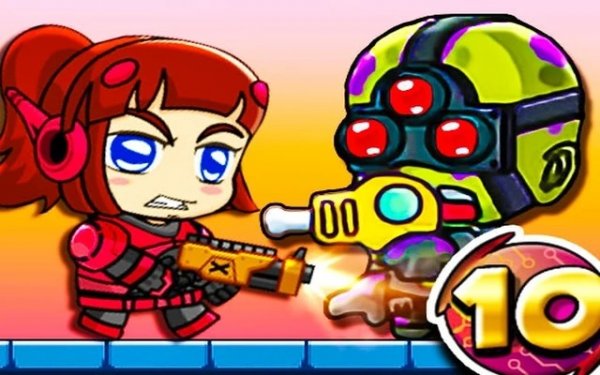
Mission 10 Action Platformer
What players say
Mission 10 is an engaging action platformer with 30 levels and 7 bosses. The cooperative mode adds fun teamwork. Item upgrades and character skins provide replay value. The controls are responsive, and the puzzles require clever strategy. A solid choice for platformer fans.
About
Game Introduction
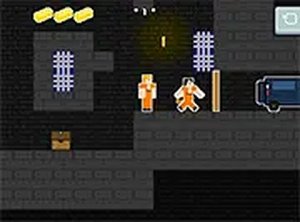
Mission 10 Action Platformer is an exciting adventure that takes players into an underground facility where they must rescue friends and help others in need. The game combines action and platforming elements with alien and creature themes, offering a thrilling escape experience. With 30 levels filled with puzzles and challenges, players need careful timing and strategy to progress. The game also features 7 unique bosses, with the toughest one waiting at the final level, providing a satisfying challenge for fans of the genre.
How to Play
Players control their character through side-scrolling levels, jumping between platforms, avoiding obstacles, and defeating enemies. The game offers both single-player and two-player cooperative modes. In two-player mode, Player 1 uses W, A, S, D to move, F to use a tool, G for special items, W to jump and walk on walls, and Q-E to switch items. Player 2 uses arrow keys to move, L to use a tool, K for special items, up arrow to jump and walk on walls, and O-P to switch items. Starting in Normal mode is recommended for the best experience. If stuck, players can check the walkthrough video via the W icon.
Game Features
Mission 10 Action Platformer includes 30 levels, 7 bosses, item upgrades, character skins, and cooperative play. Players can earn coins to buy and upgrade items, and unlock character skins after Level 8. The game provides a variety of challenges that require strategy and timing to complete, offering hours of engaging gameplay. The cooperative mode allows two players to work together, enhancing the fun and teamwork aspect.
Tips for Success
To succeed in Mission 10 Action Platformer, focus on learning the timing of jumps and enemy patterns. Use the environment to your advantage, and collect coins to upgrade items that can help in tougher levels. In two-player mode, coordinate with your partner to solve puzzles and defeat bosses more efficiently. If you get stuck, consider watching the walkthrough video for guidance. Practice regularly to improve your reflexes and strategy.