Ben 10 Drone Defense
What players say
Ben 10: Drone Defense delivers a satisfying action experience with colorful graphics and easy controls. Players choose from various aliens, each with unique powers, to fend off drone waves. The upgrade system adds depth, and the family-friendly theme makes it suitable for all ages. A solid choice for Ben 10 fans.
About
Game Introduction
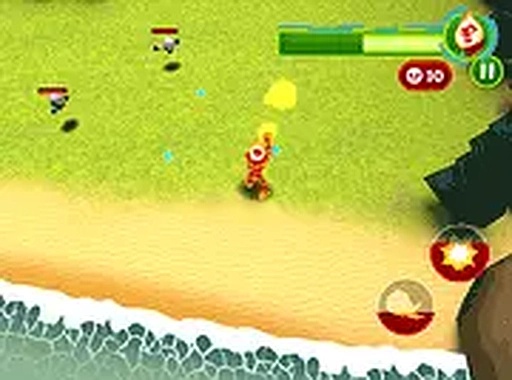
Ben 10: Drone Defense Action is a wave-based survival game set in the universe of the popular animated series Ben 10. Players take on the role of iconic alien characters from the show, each with unique abilities, to defend Grandpa Max from incoming waves of enemy drones. The game combines quick reflexes with strategic planning, as drones approach from multiple directions. It offers a family-friendly action experience that captures the spirit of the cartoon, making it suitable for fans of all ages. The game runs directly in a web browser with no downloads required, allowing players to jump into the action instantly.
How to Play
Players start by selecting an alien from the Ben 10 universe, each offering distinct abilities to help survive the drone onslaught. Using a mouse or touchscreen, players aim and shoot at incoming enemies while moving their character to avoid damage. Drones come from all directions, so staying alert is key. Between waves, players can visit an upgrade shop to improve health, attack power, or special moves. The main objective is to protect Grandpa Max as long as possible—if his health drops to zero, the game ends. A wave counter tracks progress, and players aim for a high score. Controls are intuitive, making the game accessible to all skill levels.
Game Features
Wave-based survival gameplay with multiple Ben 10 alien characters, each with unique abilities. An upgrade system allows players to enhance alien powers between waves. The game offers family-friendly action suitable for all ages, with vibrant graphics inspired by the TV series. It runs directly in a browser with no downloads required, providing easy access anytime. The gameplay emphasizes quick reflexes and strategic thinking as drones attack from all sides. Players can track their progress with a wave counter and aim for high scores. The experience is designed to be engaging for both fans of the series and newcomers.
Tips for Success
Practice regularly to improve your reflexes and learn the movement patterns of different drone types. Use the upgrade shop wisely between waves—focus on balancing health, attack power, and special moves to suit your playstyle. Stay mobile during combat to avoid taking damage from multiple directions. Prioritize protecting Grandpa Max, as his health is the key to survival. Experiment with different alien characters to find the one that best matches your strategy. Keep an eye on the wave counter to anticipate tougher enemies and plan your upgrades accordingly. With persistence, you can achieve higher scores and survive longer.