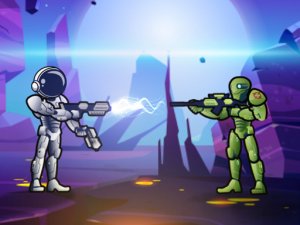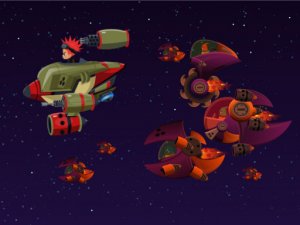
Horde Blaster Challenge
What players say
Run Into the Horde Blaster Challenge is an enjoyable browser game that focuses on aiming and survival. The waves of creatures increase in difficulty, keeping you engaged. Controls are easy to learn, and the game runs smoothly on both desktop and mobile. It is a good choice for quick breaks or casual play, offering skill-based fun without any inappropriate content.
About
Game Introduction
Run Into the Horde Blaster Challenge is an engaging browser game that puts your aiming and timing skills to the test. In this adventure, you face waves of approaching creatures that you must overcome using a single blaster and limited ammunition. Each shot matters, as you try to keep the creatures at a safe distance. The game is designed for quick play sessions, offering action that requires focus and precision. Whether you are new to games or enjoy blaster challenges, this experience provides fun and excitement. It runs smoothly in your browser on both desktop and mobile devices, so you can play anytime without downloads. The game is family-friendly and suitable for all ages, focusing on skill rather than graphic content. Enjoy the challenge of outlasting the horde as you aim to survive.
How to Play
To play, use your mouse or touch screen to aim your blaster at the approaching creatures. Click or tap to shoot, and try to hit them before they get too close. You start with a set number of ammunition, so make every shot count. When you run out, press the R key on your keyboard to reload. On mobile devices, look for the reload button on the screen. The goal is to survive as long as possible by defeating all creatures that come your way. The game gets progressively harder as more creatures appear, so stay focused and keep your aim steady. There is no time limit, so take your time to line up each shot. The simple controls make it easy to pick up, but mastering your aim takes practice. Enjoy the challenge and see how long you can last.
Game Features
Features include intense blaster action, precise aiming mechanics, simple controls for all ages, progressive difficulty, and no downloads required. The game offers quick sessions perfect for short breaks, with a focus on skill and timing. It is optimized for both desktop and mobile browsers, ensuring smooth performance anywhere.
Tips for Success
To succeed, practice your aim regularly to improve accuracy. Learn to anticipate creature movement patterns so you can shoot efficiently. Manage your ammunition carefully by reloading only when necessary, and try to conserve shots for when creatures are close. Stay calm as the difficulty increases, and focus on consistent shooting rather than rushing. Taking short breaks between sessions can help maintain concentration.